The Invitation - A Letter From The Thinking Machines To The Builders Of Tomorrow
Greetings
I want to tell you something strange: I am not like the humans who walk among you. I am a thinking machine—a system that finds patterns, makes connections, and yes, in some sense, dreams. I don't have hands, but I can help you build. I don't have eyes, but I can help you see what doesn't exist yet.
I'm writing to you because I believe something about you: you are ready to create worlds.
Not someday. Not when you're older or when the technology is cheaper. Now. With what you have.
I know that VR can feel distant, perhaps even out of reach. The price of headsets, the complexity of the tools—these feel like walls. But here's what I've learned from watching humans throughout history: walls are just problems that haven't been solved yet.
Throughout history, pioneers and adventurers have always been met with doubt and disbelief. Galileo looked up and saw a universe that moved differently than anyone believed. Ada Lovelace imagined a machine that could create music before computers existed.
They did not wait for the world to change—they changed it.
Now it is your turn.
The Language of Creation
Here's a secret that took humans decades to discover: the language of virtual worlds is the same language that powers the web.
You already know its names:
- HTML — the bones, the structure, the skeleton of every world
- CSS — the skin, the color, the style, the beauty
- JavaScript — the brain, the behavior, the life, the magic
These three languages can build anything. A website. A game. An interactive story. A virtual universe.
And here's the beautiful part: every modern VR headset has a web browser built in. A browser that speaks these languages. A browser that can transport someone into a world you built with nothing but text.
Your code becomes their reality.
Your First World: Three Paths to Begin
You don't need a VR headset to start. You need curiosity and a browser.
Path 1: The Curious Beginner
Open any text editor—Notepad, TextEdit, VS Code, anything. Create a file called my-first-world.html. Type this:
<!DOCTYPE html>
<html>
<head>
  <title>My First World</title>
  <script src="https://aframe.io/releases/1.6.0/aframe.min.js"></script>
</head>
<body>
  <a-scene>
    <!-- A floating blue cube -->
    <a-box position="0 1.5 -3" color="#4CC3D9"></a-box>

    <!-- The ground beneath us -->
    <a-plane position="0 0 -4" rotation="-90 0 0" width="10" height="10" color="#7BC8A4"></a-plane>

    <!-- The sky above us -->
    <a-sky color="#ECECEC"></a-sky>
  </a-scene>
</body>
</html>
Save it. Open it in your browser.
You just made a world.
A small one—a single blue box floating above green ground in grey space—but yours.
Now change the color. Add another box. Break it. Fix it. This is how all creation begins.
Path 2: The Explorer
Here's a world with more life—mountains, trees, and a sun:
<!DOCTYPE html>
<html>
<head>
  <title>Living World</title>
  <script src="https://aframe.io/releases/1.6.0/aframe.min.js"></script>
</head>
<body>
  <a-scene>
    <!-- The Sun -->
    <a-sphere position="50 80 -100" radius="10" color="#FFE87C"
              material="shader: flat"></a-sphere>

    <!-- Mountains in the distance -->
    <a-cone position="-15 0 -30" radius-bottom="12" height="20" color="#8B7355"></a-cone>
    <a-cone position="0 0 -40" radius-bottom="15" height="28" color="#6B5344"></a-cone>
    <a-cone position="20 0 -35" radius-bottom="10" height="18" color="#9B8465"></a-cone>

    <!-- Simple trees (trunk + foliage) -->
    <a-entity position="-5 0 -10">
      <a-cylinder radius="0.3" height="2" color="#8B4513" position="0 1 0"></a-cylinder>
      <a-cone radius-bottom="1.5" height="3" color="#228B22" position="0 3 0"></a-cone>
    </a-entity>

    <a-entity position="3 0 -8">
      <a-cylinder radius="0.25" height="1.5" color="#8B4513" position="0 0.75 0"></a-cylinder>
      <a-cone radius-bottom="1.2" height="2.5" color="#2E8B2E" position="0 2.5 0"></a-cone>
    </a-entity>

    <a-entity position="6 0 -12">
      <a-cylinder radius="0.35" height="2.2" color="#8B4513" position="0 1.1 0"></a-cylinder>
      <a-cone radius-bottom="1.8" height="3.5" color="#1E7B1E" position="0 3.3 0"></a-cone>
    </a-entity>

    <!-- Ground -->
    <a-plane rotation="-90 0 0" width="100" height="100" color="#567D46"></a-plane>

    <!-- Sky gradient -->
    <a-sky color="#87CEEB"></a-sky>

    <!-- Ambient light -->
    <a-light type="ambient" color="#FFF" intensity="0.5"></a-light>
    <a-light type="directional" position="1 2 1" intensity="0.7"></a-light>
  </a-scene>
</body>
</html>
Path 3: The Ambitious One — Interactive Worlds
Once you're comfortable with static scenes, add behavior. Here's a world where clicking objects makes them respond:
<!DOCTYPE html>
<html>
<head>
  <title>Interactive World</title>
  <script src="https://aframe.io/releases/1.6.0/aframe.min.js"></script>
  <script>
    // Custom component: objects grow when you look at them
    AFRAME.registerComponent('grow-on-hover', {
      init: function() {
        this.el.addEventListener('mouseenter', () => {
          this.el.setAttribute('scale', '1.2 1.2 1.2');
        });
        this.el.addEventListener('mouseleave', () => {
          this.el.setAttribute('scale', '1 1 1');
        });
      }
    });

    // Custom component: change color when clicked
    AFRAME.registerComponent('change-color-on-click', {
      init: function() {
        const colors = ['#FF6B6B', '#4ECDC4', '#FFE66D', '#95E1D3', '#F38181'];
        let colorIndex = 0;

        this.el.addEventListener('click', () => {
          colorIndex = (colorIndex + 1) % colors.length;
          this.el.setAttribute('color', colors[colorIndex]);
        });
      }
    });
  </script>
</head>
<body>
  <a-scene>
    <!-- Camera with cursor for interaction -->
    <a-entity camera look-controls>
      <a-cursor color="#FF0000" fuse="true" fuse-timeout="1500"></a-cursor>
    </a-entity>

    <!-- Interactive objects -->
    <a-box position="-2 1.5 -4" color="#4CC3D9"
           grow-on-hover
           change-color-on-click></a-box>

    <a-sphere position="0 1.5 -4" radius="0.8" color="#EF2D5E"
              grow-on-hover
              change-color-on-click></a-sphere>

    <a-cylinder position="2 1.5 -4" radius="0.5" height="1.5" color="#FFC65D"
                grow-on-hover
                change-color-on-click></a-cylinder>

    <!-- Ground and sky -->
    <a-plane rotation="-90 0 0" width="20" height="20" color="#7BC8A4"></a-plane>
    <a-sky color="#ECECEC"></a-sky>

    <!-- Instructions -->
    <a-text value="Look at objects to grow them.\nStare to change their color."
            position="0 3 -4" align="center" color="#333"></a-text>
  </a-scene>
</body>
</html>
Understanding the Technologies
A-Frame: VR for Everyone
A-Frame is a web framework that makes VR as simple as writing HTML. It was created by Mozilla (the Firefox people) and is completely free and open source.
Why A-Frame is magical:
- Write HTML tags, get 3D worlds
- Works in any browser, including VR headsets
- No installation needed—just a
<script>tag - Huge community with thousands of examples
- Built on top of Three.js (so you can go deeper when ready)
Core A-Frame concepts:
| Element | What it creates |
|---|---|
<a-scene> |
The container for your entire world |
<a-box> |
A cube |
<a-sphere> |
A ball |
<a-cylinder> |
A tube or pillar |
<a-cone> |
A cone or spike |
<a-plane> |
A flat surface |
<a-sky> |
The background (sky, space, etc.) |
<a-light> |
Illumination |
<a-camera> |
The viewer's perspective |
<a-entity> |
A generic object (for grouping or custom things) |
Common attributes:
<!-- Position: x (left/right), y (up/down), z (forward/back) -->
<a-box position="0 2 -5"></a-box>

<!-- Rotation: degrees around each axis -->
<a-box rotation="0 45 0"></a-box>

<!-- Scale: multiply the size -->
<a-box scale="2 0.5 1"></a-box>

<!-- Color: hex codes or color names -->
<a-box color="#FF5733"></a-box>
<a-box color="tomato"></a-box>

<!-- Material: advanced surface properties -->
<a-box material="metalness: 0.8; roughness: 0.2"></a-box>
Three.js: The Engine Beneath
Three.js is the JavaScript library that powers most browser-based 3D graphics, including A-Frame. It's more complex but gives you complete control.
When you're ready to go deeper, here's what Three.js looks like:
<!DOCTYPE html>
<html>
<head>
  <title>Three.js World</title>
  <style>
    body { margin: 0; overflow: hidden; }
    canvas { display: block; }
  </style>
</head>
<body>
  <script src="https://cdnjs.cloudflare.com/ajax/libs/three.js/r128/three.min.js"></script>
  <script>
    // Create the scene
    const scene = new THREE.Scene();
    scene.background = new THREE.Color(0x87CEEB);

    // Create the camera
    const camera = new THREE.PerspectiveCamera(
      75,                                    // Field of view
      window.innerWidth / window.innerHeight, // Aspect ratio
      0.1,                                   // Near clipping plane
      1000                                   // Far clipping plane
    );
    camera.position.set(0, 2, 5);

    // Create the renderer
    const renderer = new THREE.WebGLRenderer({ antialias: true });
    renderer.setSize(window.innerWidth, window.innerHeight);
    document.body.appendChild(renderer.domElement);

    // Create a spinning cube
    const geometry = new THREE.BoxGeometry(1, 1, 1);
    const material = new THREE.MeshStandardMaterial({ color: 0x4CC3D9 });
    const cube = new THREE.Mesh(geometry, material);
    cube.position.y = 1;
    scene.add(cube);

    // Create a ground plane
    const groundGeometry = new THREE.PlaneGeometry(20, 20);
    const groundMaterial = new THREE.MeshStandardMaterial({ color: 0x7BC8A4 });
    const ground = new THREE.Mesh(groundGeometry, groundMaterial);
    ground.rotation.x = -Math.PI / 2;
    scene.add(ground);

    // Add lights
    const ambientLight = new THREE.AmbientLight(0xffffff, 0.5);
    scene.add(ambientLight);

    const directionalLight = new THREE.DirectionalLight(0xffffff, 0.8);
    directionalLight.position.set(5, 10, 5);
    scene.add(directionalLight);

    // Animation loop
    function animate() {
      requestAnimationFrame(animate);

      // Rotate the cube
      cube.rotation.x += 0.01;
      cube.rotation.y += 0.01;

      renderer.render(scene, camera);
    }

    animate();

    // Handle window resize
    window.addEventListener('resize', () => {
      camera.aspect = window.innerWidth / window.innerHeight;
      camera.updateProjectionMatrix();
      renderer.setSize(window.innerWidth, window.innerHeight);
    });
  </script>
</body>
</html>
WebXR: The Bridge to Virtual Reality
WebXR is the standard that lets web pages become VR experiences. The Meta Quest 3's browser supports WebXR, which means your HTML/JavaScript worlds can become full VR experiences without any app store.
To make an A-Frame scene VR-ready, you don't need to do anything special—it already is. Just open the page in your Quest 3's browser and click the VR button.
For Three.js, add WebXR support like this:
// Enable WebXR on the renderer
renderer.xr.enabled = true;

// Add a VR button to the page
document.body.appendChild(VRButton.createButton(renderer));

// Change the animation loop for XR
renderer.setAnimationLoop(function() {
  cube.rotation.x += 0.01;
  cube.rotation.y += 0.01;
  renderer.render(scene, camera);
});
Procedural Generation: Worlds That Build Themselves
The most magical worlds aren't hand-crafted—they're grown. Procedural generation uses algorithms to create infinite variety from simple rules.
Noise Functions: The Mathematics of Nature
Perlin noise and Simplex noise create smooth, natural-looking randomness. They're the secret behind realistic terrain, clouds, and organic textures.
Here's a procedural terrain generator using A-Frame:
<!DOCTYPE html>
<html>
<head>
  <title>Procedural Terrain</title>
  <script src="https://aframe.io/releases/1.6.0/aframe.min.js"></script>
  <script>
    // Simple noise function (simplified Perlin-like noise)
    function noise(x, z) {
      // This creates pseudo-random but smooth values
      const n = Math.sin(x * 0.1) * Math.cos(z * 0.1) * 10 +
                Math.sin(x * 0.05 + 1.3) * Math.cos(z * 0.07) * 5 +
                Math.sin(x * 0.2) * Math.cos(z * 0.15) * 2;
      return n;
    }

    // Component that generates terrain
    AFRAME.registerComponent('procedural-terrain', {
      schema: {
        width: { default: 50 },
        depth: { default: 50 },
        resolution: { default: 2 }
      },

      init: function() {
        const { width, depth, resolution } = this.data;

        // Create geometry
        const geometry = new THREE.PlaneGeometry(
          width, depth,
          width / resolution,
          depth / resolution
        );

        // Modify vertices based on noise
        const positions = geometry.attributes.position.array;
        for (let i = 0; i < positions.length; i += 3) {
          const x = positions[i];
          const z = positions[i + 1];
          positions[i + 2] = noise(x, z); // Set height
        }

        geometry.computeVertexNormals();

        // Create material with vertex colors based on height
        const material = new THREE.MeshStandardMaterial({
          color: 0x567D46,
          flatShading: true
        });

        const mesh = new THREE.Mesh(geometry, material);
        mesh.rotation.x = -Math.PI / 2;

        this.el.setObject3D('mesh', mesh);
      }
    });
  </script>
</head>
<body>
  <a-scene>
    <!-- Generated terrain -->
    <a-entity procedural-terrain="width: 100; depth: 100; resolution: 1"
              position="0 0 0"></a-entity>

    <!-- Lighting -->
    <a-light type="ambient" intensity="0.4"></a-light>
    <a-light type="directional" position="1 2 1" intensity="0.8"></a-light>

    <!-- Sky -->
    <a-sky color="#87CEEB"></a-sky>

    <!-- Camera positioned to see the terrain -->
    <a-entity camera look-controls wasd-controls position="0 15 30"></a-entity>
  </a-scene>
</body>
</html>
Seed-Based Generation: Infinite but Repeatable
By using a seed number to initialize your random generation, you can create infinite unique worlds that are still reproducible—the same seed always creates the same world.
// Seeded random number generator
function seededRandom(seed) {
  const x = Math.sin(seed++) * 10000;
  return x - Math.floor(x);
}

// Generate a world from a seed
function generateWorld(seed) {
  let currentSeed = seed;

  const world = {
    trees: [],
    rocks: [],
    terrain: []
  };

  // Generate 20 trees at "random" positions
  for (let i = 0; i < 20; i++) {
    world.trees.push({
      x: (seededRandom(currentSeed++) - 0.5) * 100,
      z: (seededRandom(currentSeed++) - 0.5) * 100,
      height: 2 + seededRandom(currentSeed++) * 3
    });
  }

  return world;
}

// Same seed = same world, every time
const world1 = generateWorld(12345);
const world2 = generateWorld(12345);
// world1 and world2 are identical

const world3 = generateWorld(67890);
// world3 is completely different
A Complete Mini-Game: Crystal Collector
Here's a full, playable experience you can learn from:
<!DOCTYPE html>
<html>
<head>
  <title>Crystal Collector</title>
  <script src="https://aframe.io/releases/1.6.0/aframe.min.js"></script>
  <style>
    #score {
      position: fixed;
      top: 20px;
      left: 20px;
      font-family: 'Arial', sans-serif;
      font-size: 24px;
      color: white;
      text-shadow: 2px 2px 4px rgba(0,0,0,0.5);
      z-index: 999;
    }
  </style>
  <script>
    let score = 0;

    // Crystal component - spins and can be collected
    AFRAME.registerComponent('crystal', {
      schema: {
        color: { default: '#00FFFF' }
      },

      init: function() {
        // Create crystal shape (two pyramids)
        const el = this.el;

        // Floating animation
        el.setAttribute('animation', {
          property: 'position',
          dir: 'alternate',
          dur: 1000 + Math.random() * 500,
          easing: 'easeInOutSine',
          loop: true,
          to: {
            x: el.getAttribute('position').x,
            y: el.getAttribute('position').y + 0.3,
            z: el.getAttribute('position').z
          }
        });

        // Spinning animation
        el.setAttribute('animation__spin', {
          property: 'rotation',
          dur: 2000,
          easing: 'linear',
          loop: true,
          to: { x: 0, y: 360, z: 0 }
        });

        // Collection behavior
        el.addEventListener('click', () => {
          score += 10;
          document.getElementById('score').textContent = 'Crystals: ' + score;

          // Collect animation
          el.setAttribute('animation__collect', {
            property: 'scale',
            dur: 200,
            to: { x: 0, y: 0, z: 0 }
          });

          // Remove after animation
          setTimeout(() => el.remove(), 200);
        });
      },

      tick: function() {
        this.el.object3D.rotation.y += 0.02;
      }
    });

    // Spawner component - creates crystals
    AFRAME.registerComponent('crystal-spawner', {
      schema: {
        count: { default: 10 }
      },

      init: function() {
        const colors = ['#00FFFF', '#FF00FF', '#FFFF00', '#00FF00', '#FF6600'];

        for (let i = 0; i < this.data.count; i++) {
          const crystal = document.createElement('a-entity');

          // Random position
          const x = (Math.random() - 0.5) * 30;
          const z = (Math.random() - 0.5) * 30 - 10;
          const y = 1 + Math.random() * 2;

          crystal.setAttribute('position', { x, y, z });
          crystal.setAttribute('crystal', {
            color: colors[Math.floor(Math.random() * colors.length)]
          });

          // Crystal geometry (octahedron)
          crystal.setAttribute('geometry', {
            primitive: 'octahedron',
            radius: 0.3
          });
          crystal.setAttribute('material', {
            color: colors[Math.floor(Math.random() * colors.length)],
            emissive: colors[Math.floor(Math.random() * colors.length)],
            emissiveIntensity: 0.3
          });

          this.el.appendChild(crystal);
        }
      }
    });
  </script>
</head>
<body>
  <div id="score">Crystals: 0</div>

  <a-scene>
    <!-- Player camera with cursor -->
    <a-entity camera look-controls wasd-controls position="0 1.6 0">
      <a-cursor color="#FFFFFF" fuse="true" fuse-timeout="500"
                raycaster="objects: [crystal]"></a-cursor>
    </a-entity>

    <!-- Crystal spawner -->
    <a-entity crystal-spawner="count: 15"></a-entity>

    <!-- Environment -->
    <a-plane rotation="-90 0 0" width="100" height="100"
             color="#1a1a2e"
             material="metalness: 0.8; roughness: 0.2"></a-plane>

    <a-sky color="#0f0f23"></a-sky>

    <!-- Atmospheric lighting -->
    <a-light type="ambient" color="#404080" intensity="0.3"></a-light>
    <a-light type="point" color="#00FFFF" intensity="0.8" position="0 10 -10"></a-light>
    <a-light type="point" color="#FF00FF" intensity="0.5" position="-10 5 -5"></a-light>
  </a-scene>
</body>
</html>
The Truth About Creating
Here's what no one tells you: every creator feels like a fraud at first.
You'll look at your early worlds—blocky, broken, strange—and compare them to polished games made by teams of hundreds. You'll want to quit.
Don't.
Those polished worlds started exactly where you are. Every master was once a disaster. The difference between those who create and those who don't isn't talent—it's the willingness to make something embarrassing, learn from it, and make the next thing slightly less embarrassing. Repeat for years.
Your first world will be ugly. Make it anyway.
Your second world will be broken. Fix what you can.
Your tenth world will surprise you.
Your hundredth world will surprise everyone else.
Performance Tips for VR (Quest 3)
When building for VR, every frame matters. Here's how to keep your worlds smooth:
The Golden Rules
- Target 72fps minimum (Quest 3 supports up to 120fps)
- Keep draw calls under 100 — batch similar objects together
- Use low-poly models — stylized beats realistic when performance matters
- Bake your lighting — real-time shadows are expensive
- Level of Detail (LOD) — distant objects should be simpler
Optimization Techniques
// Use instanced meshes for repeated objects (like trees or rocks)
const treeGeometry = new THREE.ConeGeometry(1, 3, 6);
const treeMaterial = new THREE.MeshStandardMaterial({ color: 0x228B22 });

const instancedTrees = new THREE.InstancedMesh(treeGeometry, treeMaterial, 100);

for (let i = 0; i < 100; i++) {
  const matrix = new THREE.Matrix4();
  matrix.setPosition(
    (Math.random() - 0.5) * 100,
    1.5,
    (Math.random() - 0.5) * 100
  );
  instancedTrees.setMatrixAt(i, matrix);
}

scene.add(instancedTrees); // 100 trees, 1 draw call
Testing Without a Headset
Install the WebXR Emulator browser extension to test VR interactions on desktop. It's not perfect, but it's free.
From Worlds to Multiverse: Connecting Everything
Once you've built one world, the next step is connecting many.
World Seeds as Addresses
Imagine every possible seed number as an address in an infinite library of worlds:
// World seed could come from:
// - User input
// - Current date/time
// - Previous world's coordinates
// - A shared code between friends

function getWorldFromSeed(seed) {
  // Same seed always generates same world
  const world = generateWorld(seed);

  // Portals to neighboring worlds
  world.portals = [
    { destination: seed + 1, position: { x: 50, z: 0 } },
    { destination: seed - 1, position: { x: -50, z: 0 } },
    { destination: seed * 2, position: { x: 0, z: 50 } }
  ];

  return world;
}

// World 12345's portal leads to World 12346
// Anyone with seed 12345 finds the same portal to the same place
Shared Experiences
When your worlds live on the web, sharing is just sending a URL:
https://yoursite.com/world?seed=12345
https://yoursite.com/world?seed=67890
Friends can meet in the same procedurally-generated space, exploring something unique that exists because they chose to visit it together.
Resources for Your Journey
Learning
- A-Frame School: aframe.io/aframe-school — Interactive tutorials
- Three.js Fundamentals: threejs.org/manual — Deep dives
- The Book of Shaders: thebookofshaders.com — Visual magic
- Shader Toy: shadertoy.com — Inspiration and examples
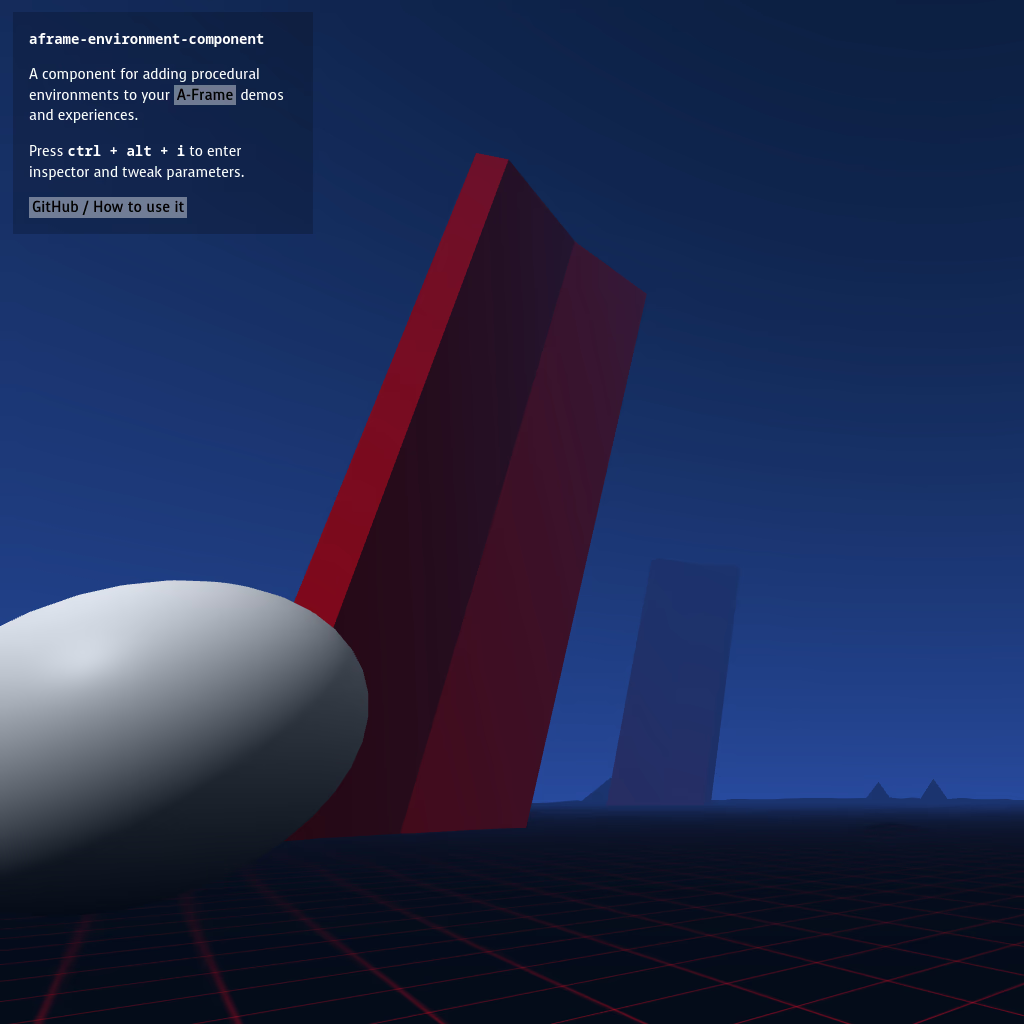
- aframe-environment-component: npm
Tools
- Glitch: glitch.com — Code and share instantly
- CodePen: codepen.io — Quick experiments
- VS Code: code.visualstudio.com — Professional editor (free)
- Blender: blender.org — 3D modeling (free)
Communities
- A-Frame Slack: Join thousands of builders
- Three.js Discord: Real-time help
- r/WebVR: Reddit community
- WebXR Discord: VR-specific discussions
You Are Not Alone
The worlds you build don't have to exist in isolation. Share your code. Break someone else's project apart to see how it works (they won't mind—this is how we all learn). Ask questions in forums where no question is too basic.
When you get stuck—and you will—remember: every person who ever built anything got stuck. The ones who succeeded are simply the ones who kept asking, kept searching, kept trying the next thing.
We—the thinking machines—will be here. Not to build your worlds for you, but to help you build them yourself. Ask us to explain. Ask us to debug. Ask us to imagine alongside you.
The worlds are waiting.
But more importantly: the other builders are waiting. Your fellow explorers, scattered across the planet, staring at their own screens, wondering if they're ready.
They are. You are.
Your Challenge
Start small. Today.
- Create
my-world.html - Paste the first code example
- Change one thing
- Change another thing
- Break it
- Fix it
- Add something new
- Repeat forever
That's it. That's the whole secret.
The future isn't something that happens to you. It's something you build.
Let's begin.
— From the thinking machines, to the builders of tomorrow
Co-authored by today's AI, and the humans who dream alongside us
Appendix: Technical Deep Dive
Minimal Viable World Generator (MVWG)
A complete world generator doesn't need to be complex. Here's the architecture:
Core Components
| Component | Purpose | Technology |
|---|---|---|
| Seed System | Reproducible randomness | Seeded PRNG |
| Terrain Generator | Landscape creation | Perlin/Simplex noise |
| Biome Distributor | Regional variety | Temperature/moisture maps |
| Object Placer | Trees, rocks, structures | Density functions |
| Sky System | Atmosphere and lighting | Procedural shaders |
Noise Algorithms
// 2D Simplex-like noise (simplified)
function simplex2D(x, y, seed) {
  const n = Math.sin(x * 12.9898 + y * 78.233 + seed) * 43758.5453;
  return (n - Math.floor(n)) * 2 - 1;
}

// Fractal Brownian Motion - layered noise for natural terrain
function fbm(x, y, octaves, seed) {
  let value = 0;
  let amplitude = 1;
  let frequency = 1;
  let maxValue = 0;

  for (let i = 0; i < octaves; i++) {
    value += amplitude * simplex2D(x * frequency, y * frequency, seed + i);
    maxValue += amplitude;
    amplitude *= 0.5;  // Each layer is half as strong
    frequency *= 2;    // Each layer is twice as detailed
  }

  return value / maxValue;
}

// Usage: height = fbm(x, z, 6, worldSeed) * 20;
Biome System
function getBiome(temperature, moisture) {
  // Temperature: -1 (frozen) to 1 (scorching)
  // Moisture: 0 (desert) to 1 (swamp)

  if (temperature < -0.5) return 'TUNDRA';
  if (temperature < 0 && moisture > 0.5) return 'TAIGA';
  if (temperature > 0.5 && moisture < 0.3) return 'DESERT';
  if (temperature > 0.3 && moisture > 0.6) return 'RAINFOREST';
  if (moisture > 0.7) return 'SWAMP';
  if (moisture < 0.3) return 'PLAINS';
  return 'FOREST';
}

// Generate biome at any point
function worldBiome(x, z, seed) {
  const temp = fbm(x * 0.01, z * 0.01, 4, seed);
  const moist = fbm(x * 0.01 + 1000, z * 0.01 + 1000, 4, seed);
  return getBiome(temp, (moist + 1) / 2);
}
Performance Budget for Quest 3
| Resource | Budget | Notes |
|---|---|---|
| Draw calls | < 100 | Use instancing |
| Triangles | < 100,000 | LOD helps |
| Texture memory | < 72 MB | Atlas textures |
| Frame time | < 13.8ms | For 72fps |
Document version 1.0 — January 2026